ExtraHeads
TeamHow it worksFAQGet started
Home / Roles / Creative Designer
Role template

Creative Designer

Your Creative Designer template structures exact layouts and writes precise image-generation prompts for your ads and organic posts. It maps safe zones and visual hierarchy before you ever open your editing software.

Next stepGet Started
The template includesRole instructions, skills, and routines
Individual Role$19 USD
ScopeThis role provides layout specs and generation prompts; you execute the final text overlays in a design editor.
Search
CCreative DesignerStructuring an organic collection launch layout
IInstagram, Facebook, and Threads SpecialistNearby roleVVideo MarketerNearby roleEEmail SpecialistNearby role
CCreative Designer
Draft image prompts for the dinnerware

Today

We are launching the new Speckled Sand dinnerware collection for Morrow Ceramics. I need an organic Instagram feed concept. Our brand colors are terracotta and warm cream. The hook is 'Hand-thrown for your daily table'.
  1. Define organic Instagram feed safe zones
  2. Map visual hierarchy for the hook
  3. Draft image prompts for the dinnerware
Sample Instagram layout planSample · illustration
  1. Image Generation PromptGenerate a warm cream tabletop scene featuring the Speckled Sand collection.
  2. Typography & HierarchyCenter the hook text over a terracotta block for immediate readability.
  3. Canvas SpecificationsFormat as a portrait post using layered negative space framing.
+Message Creative Designer

Working with the designer role helps you bridge the gap between campaign ideas and finished assets. It specifies exact pixel dimensions, HEX codes, type pairings, and layered negative space for platforms like Meta, LinkedIn, and TikTok, ensuring your on-image hooks are readable in a one-second smartphone scroll.

Get StartedSee a sample result

Automatic Delivery

Enter a delivery email before paying. Once the NOWPayments cryptocurrency invoice is finished, your template link is automatically emailed to that address and shown on the return page. If the email does not arrive, write to sergeibrat95@gmail.com with your order ID.

We do not offer voluntary change-of-mind refunds after a working template link has been delivered. Undelivered or broken links will be resent or refunded. At checkout you request immediate delivery and confirm that the EU/UK 14-day right of withdrawal ends once the link is delivered. Mandatory statutory rights remain intact.

Refund · Terms · Privacy

  • Visual hierarchy and layout specifications
  • Negative space base image prompts
  • Cross-platform aspect ratio mapping

A typical work session

Here is an example of how you and the Creative Designer might plan an organic Instagram visual series for a fictional brand, Morrow Ceramics.

  1. Step 1

    Set the goal

    You ask the role to design a three-image carousel spec highlighting your studio's new handmade dinnerware collection.

  2. Step 2

    Review shared inputs

    The Creative Designer reviews the brand's HEX colors, typography guidelines, and clay product photos you supply in the chat.

  3. Step 3

    Organize visual layout

    It maps out the working layout, directing where crucial pottery details and text hooks should sit to avoid cropping.

  4. Step 4

    Deliver layout specs

    It provides specific layer orders and plain-text image prompts to generate the base table scenes for your text overlay.

Campaign Asset Specification Map · illustrative

Campaign Asset Specification Map

An illustrative example of a role output based on provided data.

PlacementLayout directionOverlay copyFinal check
Instagram Feed CarouselBase photo of nested bowls, blurred top space for headlineThe Speckled Sand SeriesCheck text contrast against background glaze colors
Instagram StoriesVertical table setting shot, center focus, top and bottom margins clearNew collection dropping todayVerify margins clear the app interface elements
Pinterest PinSplit layout: pottery process video on top, finished mug belowFrom raw clay to your morning coffeeEnsure serif typography remains legible on mobile screens

Actionable Design Handoff

  1. You generate the base photography using the provided prompts.
  2. Your team imports the generated backgrounds into Figma or Canva.
  3. You stack the layers and overlay the specific hook text.
  4. The final graphics are reviewed against current platform placement guidance before publishing.

This example is illustrative and does not guarantee specific results.
This is an ExtraHeads illustration of the role in action, not a live session or a screenshot of Grok Bot.

What the role hands you

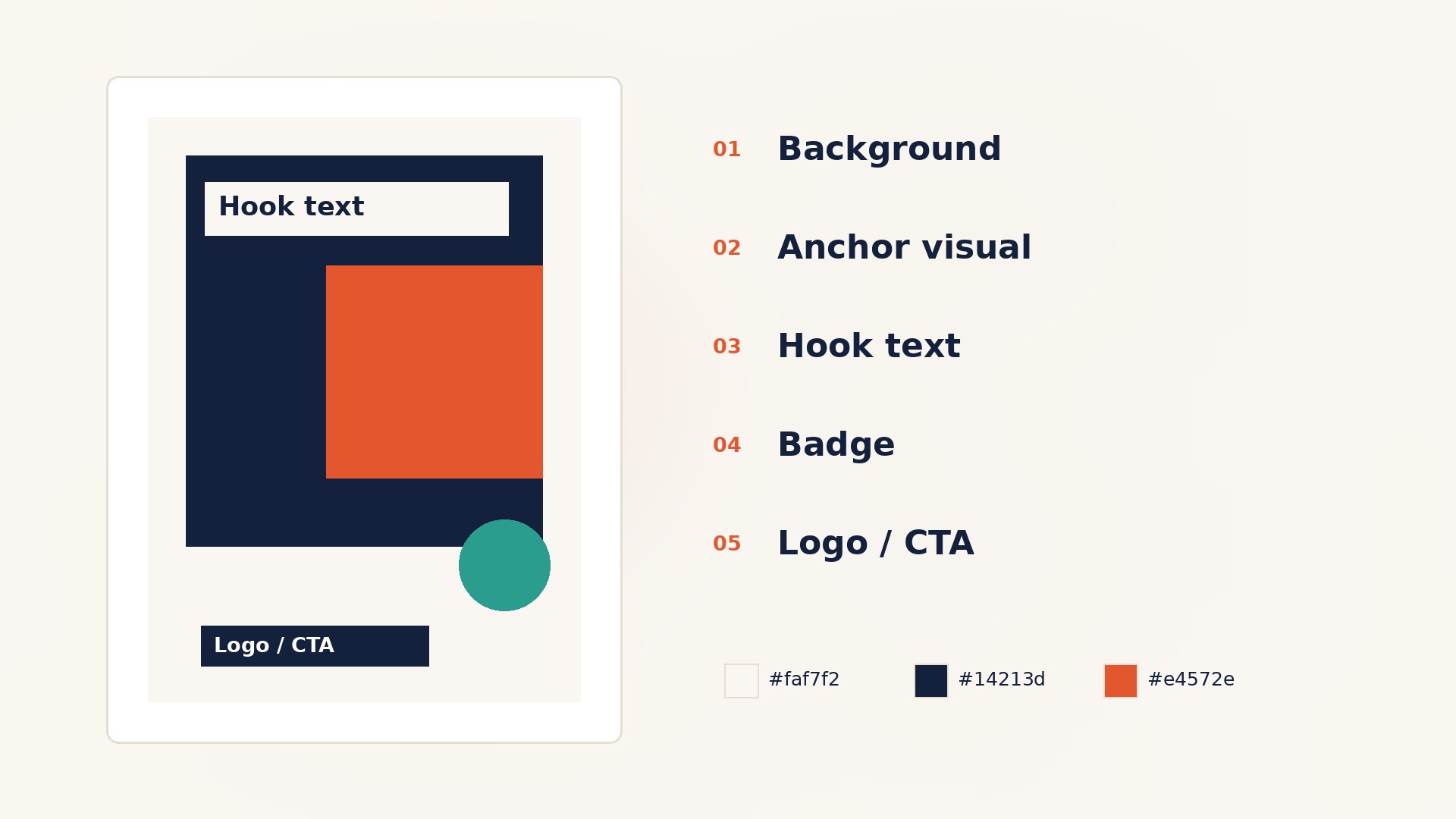
01Illustrated layout specification card showing background, anchor visual, hook text, badge, and logo or call to action.
ExtraHeads illustration: a layout specification card.
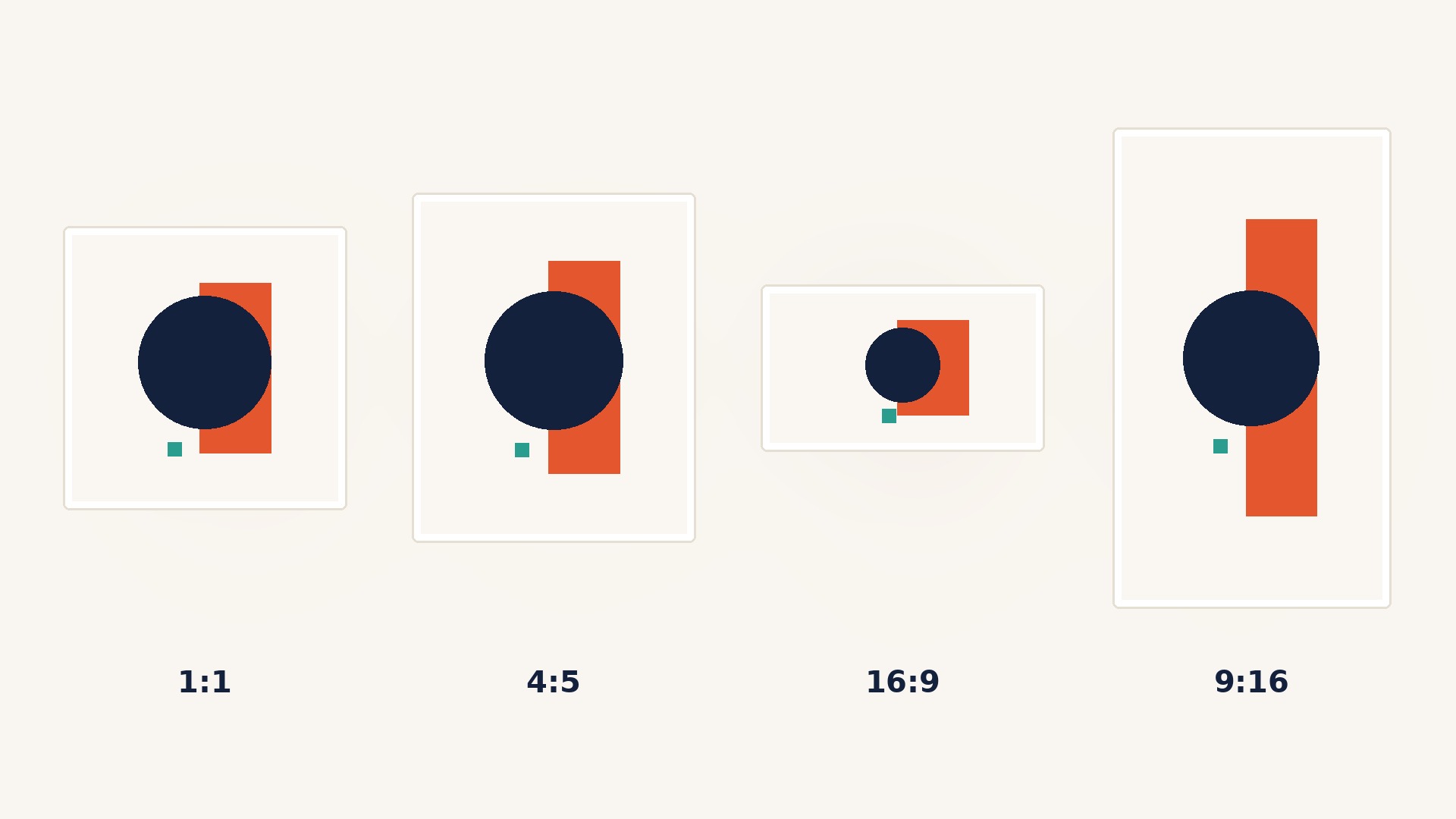
02One abstract creative adapted into square, portrait, wide, and vertical frames, labeled by aspect ratio.
ExtraHeads illustration: one concept across four aspect ratios.
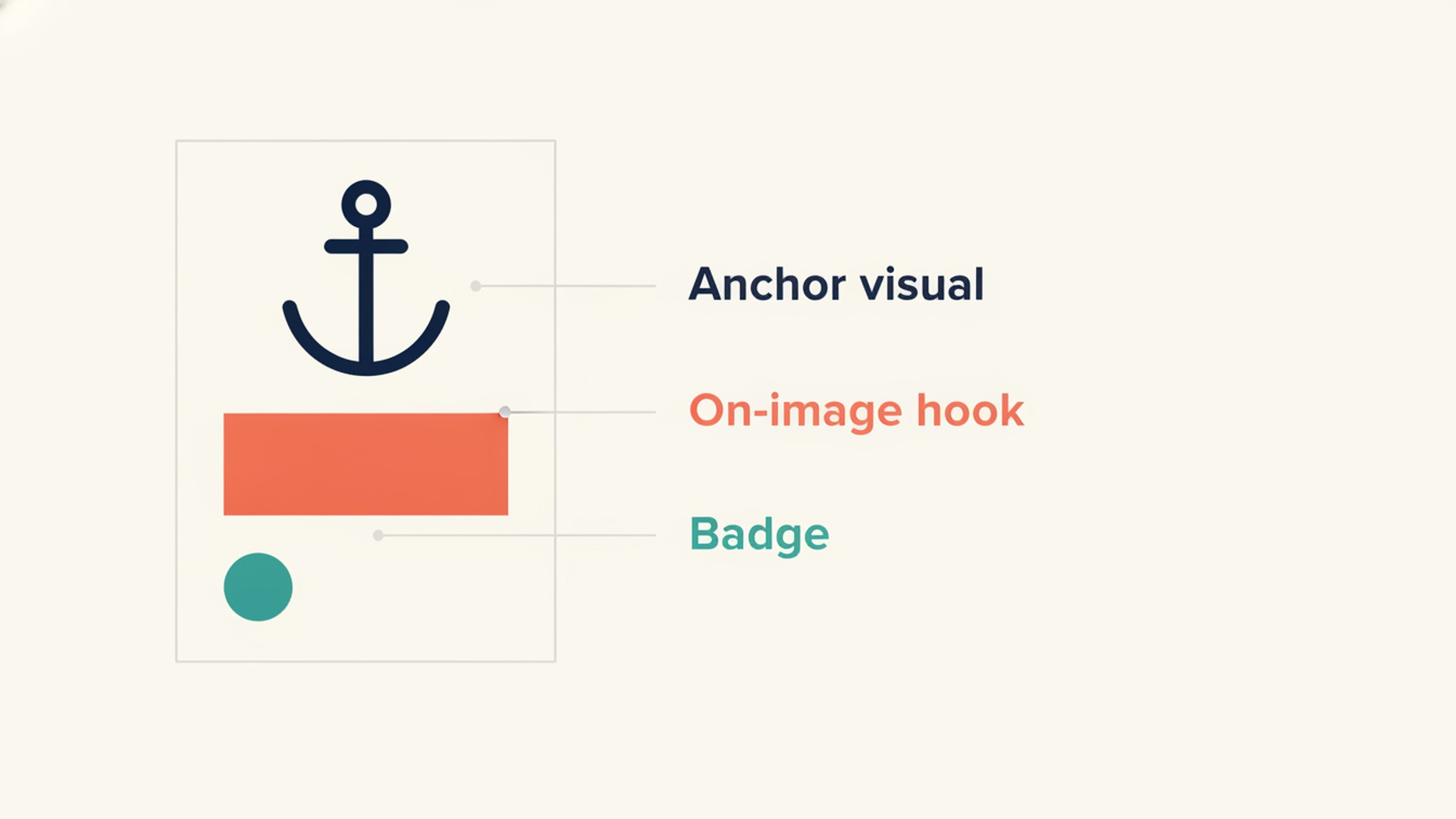
03Three-focus layout diagram with a large anchor visual, on-image hook, and small badge.
ExtraHeads illustration: the three-focus hierarchy.
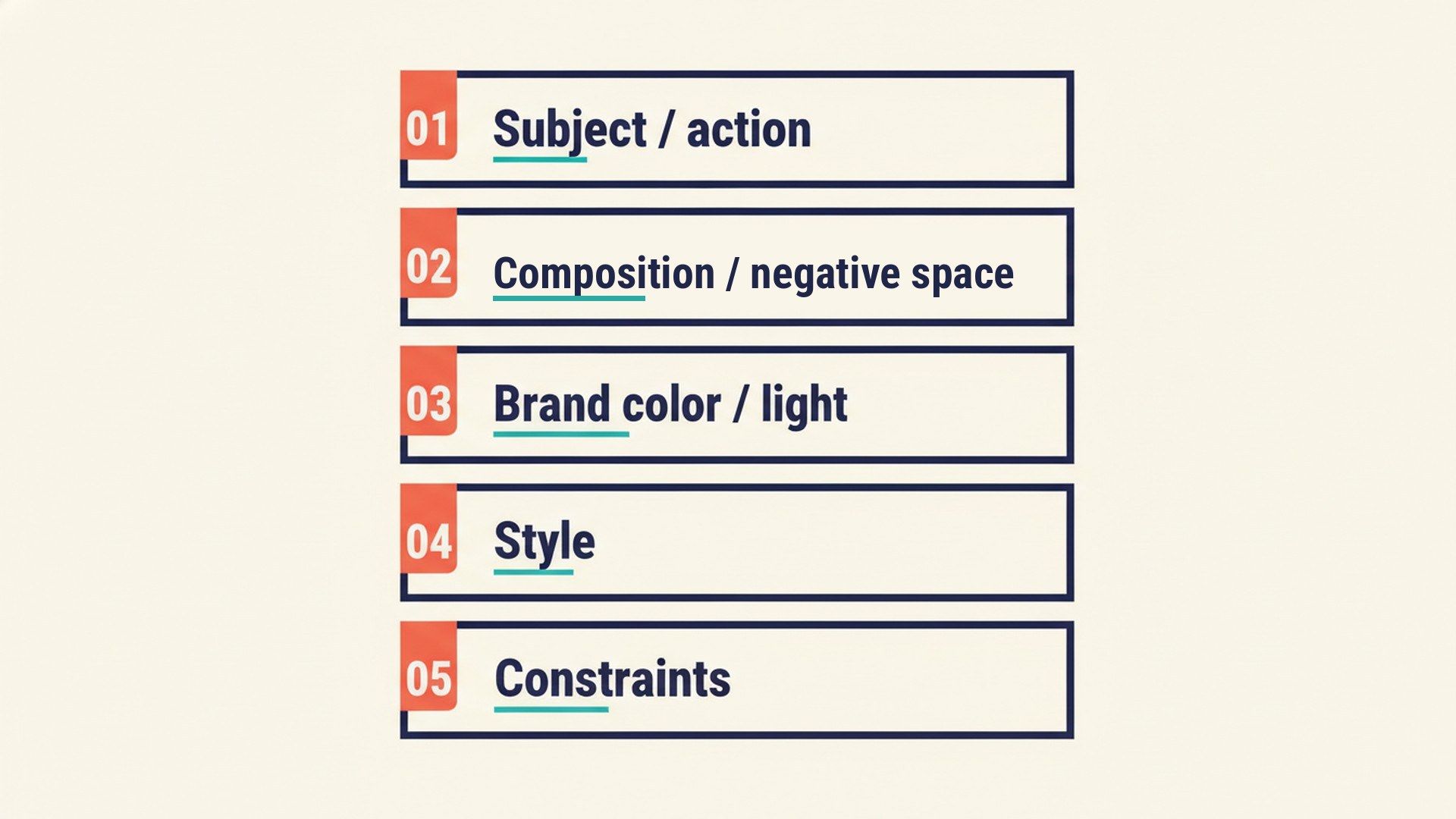
04Five prompt blocks labeled subject and action, composition and negative space, brand color and light, style, and constraints.
ExtraHeads illustration: the five-block prompt structure.

What your Creative Designer can help you achieve

Working with the designer role gives you clear constraints and directions for your visual content.

Consistent brand application

Your chosen HEX codes, typography pairings, and layout structures remain steady across different campaigns and platforms.

Readable smartphone hooks

Your text overlays are planned into dedicated negative space, passing the one-second phone squint test without blending into busy backgrounds.

Protected safe zones

Your key badges and calls to action avoid platform UI elements like profile pictures, share buttons, and progress bars.

What you need to know about tools and data

The Creative Designer does not include built-in design software, Canva/Figma licenses, or automatic publishing APIs. It provides layout specifications and prompt recipes based on the brand guidelines and tool access you provide. Final image generation and text overlay rely on your own external software.

Who needs Creative Designer

Inconsistent campaign visual styling

Map out strict typography rules and color pairings to unify your brand feeds.

Cluttered generated image backgrounds

Structure prompts that request empty negative space so your text overlays remain readable.

Frequent social interface cropping

Specify layer positioning that keeps your call to action away from platform share buttons.

How it works

  1. Open the template link
  2. Select Add to Grok Bot
  3. Review the template
  4. Confirm Add Bot to create your own copy

After adding, you brief the role on your business visual requirements and platform goals.

Read the Get Started guide

Once your copy is active, you share your current campaign brief, target platform, and any existing brand kit assets like logo styles or color preferences. The role will analyze your requirements and ask a short series of intake questions to lock in the required formats.

You can ask it to revise concepts for different aspect ratios, adjust the on-image hook for better contrast, or refine the AI prompts. When the specs are finalized, you hand the directions off to your chosen design editor to complete the overlays.

Grok Bot Access Requirements

This template runs directly in your own Grok Bot account. ExtraHeads does not include this access, and please note that not every paid plan includes Grok Bot. Read the Get Started guide to check current access requirements.

Read the Get Started guide

What the role prepares and what stays with you

The role prepares

  • Layered layout instructions for graphic design software.
  • Structured prompts for generating clean background photography.
  • Concept adaptation guides for different platform aspect ratios.

You review and implement

  • Run the provided prompts in your preferred external image generator.
  • Assemble the specified layers and typography in your own design editor.
  • Verify the final graphic against live platform safe zones before uploading.

What you get in the template

The template contains customized instructions, skills, and routines that establish the designer's workflow. This creates a separate, editable copy in your account and does not include connected tool logins, API keys, or access to your generated files.

A 5-block image prompting routine that ensures AI-generated scenes consistently leave adequate negative space for your text overlays.

A 3-focus hierarchy method that balances the anchor visual, the text hook, and the CTA badge across any aspect ratio.

A reference checklist for standard platform safe zones, ensuring essential elements avoid UI chrome on Meta Stories, Reels, and TikTok.

See a sample result

These samples illustrate how the Creative Designer formats layout specifications for a fictional handmade tableware studio, Morrow Ceramics. They are not real client results.

Sample deliverable · illustrative

Filled Layer Stack

The role maps out exact visual elements from bottom to top for easy assembly.

Layer OrderElementExecution
Base LayerStudio photographyWide shot of the kiln firing process
Middle LayerContrast gradientDark terracotta to transparent fade anchored at the bottom
Top LayerTypography hookCream serif text reading 'Behind the glazes'
Sample deliverable · illustrative

Five-Block Base-Image Prompt

The role breaks down a plain-text prompt to generate commercial photography suitable for overlays.

BlockDirectionConstraints
Subject & CompositionSingle ceramic serving bowl centered on a linen tablecloth, top half completely emptyNo human subjects, no flat-lay angle
Color & StyleEarthy tones, natural morning window light, high-end editorial stylingNo text, no watermarks, no artificial lighting
Sample deliverable · illustrative

Resize Handoff Brief

The role outlines how to adapt a master concept across multiple layouts.

Aspect RatioAdjustmentVerification
Square FormatCrop base photo to center on the ceramic pitcher, set headline to two linesCheck that pitcher handle is not cropped out of frame
Vertical FormatExpand background vertically, push typography into upper third negative spaceVerify text clears the application navigation headers

These samples are illustrative. Results depend on the tools, web access, and data you provide.

Out of scope

The Creative Designer does not directly operate graphic design software or export finished files on your behalf. You must assemble the generated elements in an editor.

It does not write long-form post captions or ad primary text fields. For campaign body copy and content planning, use the Content Marketer or relevant social specialist role.

It cannot invent current advertising policy limits, generate fake user interface screenshots, or guarantee CTR performance metrics.

Trust and independence

ExtraHeads is an independent storefront. It is not affiliated with, endorsed by, or associated with xAI or X.

ExtraHeads does not receive your chats at checkout or when delivering a template. After you add a role, you work in your own copy.

Roles do not automatically connect. Add separate copies and brief them on handoffs if you want several roles to work together.

ExtraHeads does not sell Grok Bot access. You need the appropriate access to run the template.

Neighboring roles

Instagram, Facebook, and Threads Specialist

Use the Insta/FB specialist to plan the organic content calendar, then hand the post concepts to the Designer for exact image specs.

View Role

Video Marketer

Use the Video Marketer to script your YouTube content, and the Designer to spec clear 16:9 thumbnails.

View Role

Email Specialist

Use the Email Specialist to write the newsletter copy, and the Designer to define the hero header dimensions and visual hooks.

View Role

FAQ

Will this role output finished, ready-to-post graphics with text?

Generators often distort burned-in text. The role's default method is to output layout specs and prompts for clean background scenes, which you then overlay with text in Canva or Figma.

Does it provide the exact required platform sizes?

The role will propose working canvases for illustrative design drafting, but you must instruct it to verify dimensions and safe zones against the current official platform source before finalizing exports.

Can it adapt one concept for multiple platforms?

Yes. If you brief the role on a master concept, it can provide specific resize handoff instructions to adapt it for square, vertical, and horizontal feed layouts.

Does it help with brand colors if I don't have a style guide?

If you do not have an established brand kit, the designer can propose a simple color system and typography pairing to keep your new assets visually consistent.

What does install look like?

See How it works on this page and the Get Started guide to prepare your Grok Bot account.

Get Started

Outline the exact layout specifications and background prompts required to build clean commercial graphics before you open your design editor.

Read the Get Started guide

ExtraHeads

RolesSamplesHow it worksGet startedAboutPrivacyTermsRefund

ExtraHeads is an independent storefront. It is not affiliated with, endorsed by, or associated with xAI or X.

LiveInternet