Content Marketer
Plans content and how it gets reused across your main channels.
View Role
ExtraHeads illustration and preview of the role, not a Grok Bot screenshot. The brief and reply are a sample.
A short role demonstration and preview video will appear on this page. This video provides a preview of the specialist at work. It is not a course and not a live session in your account.
Specifies layouts and visual formats for ads and social posts.
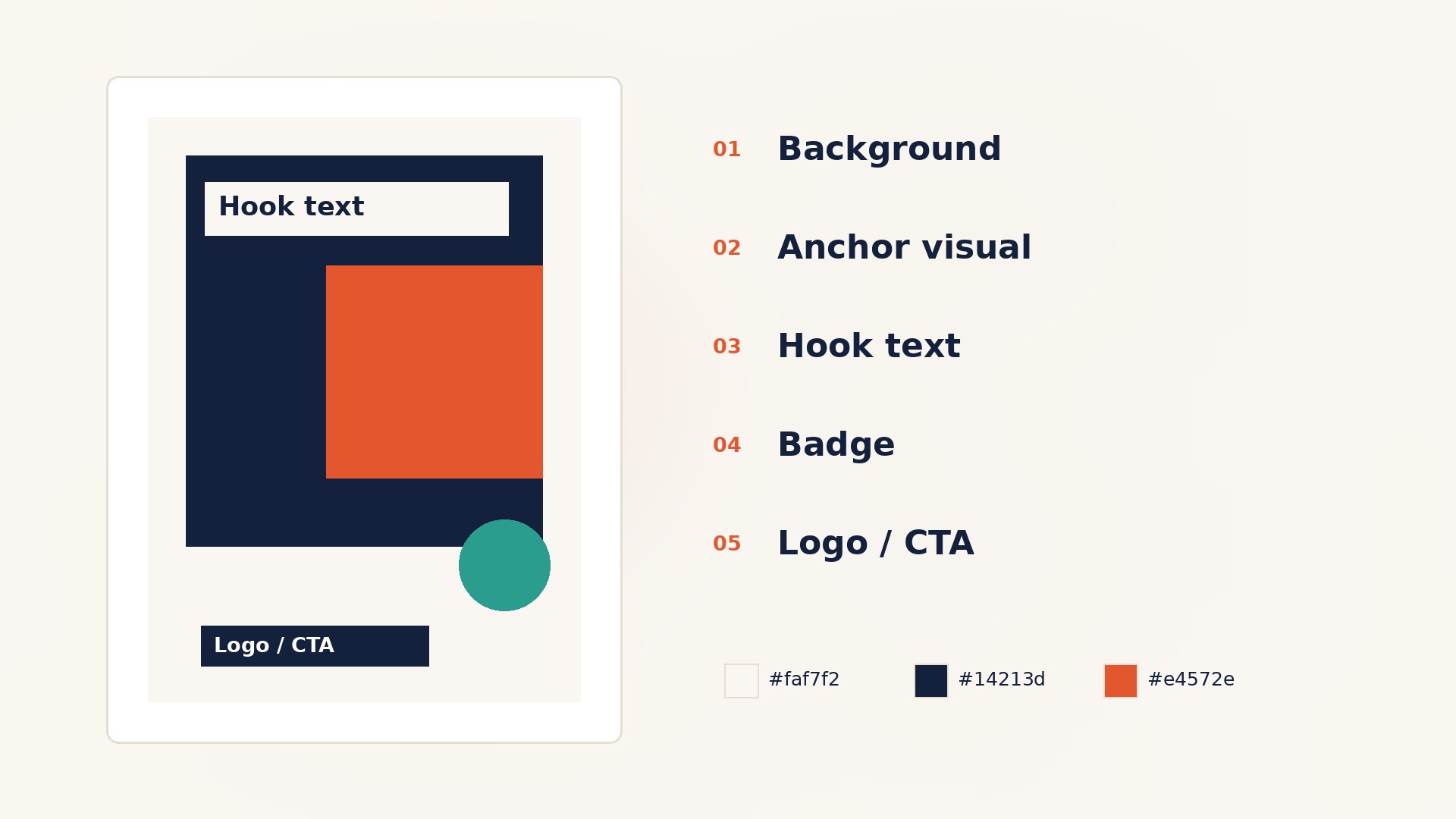
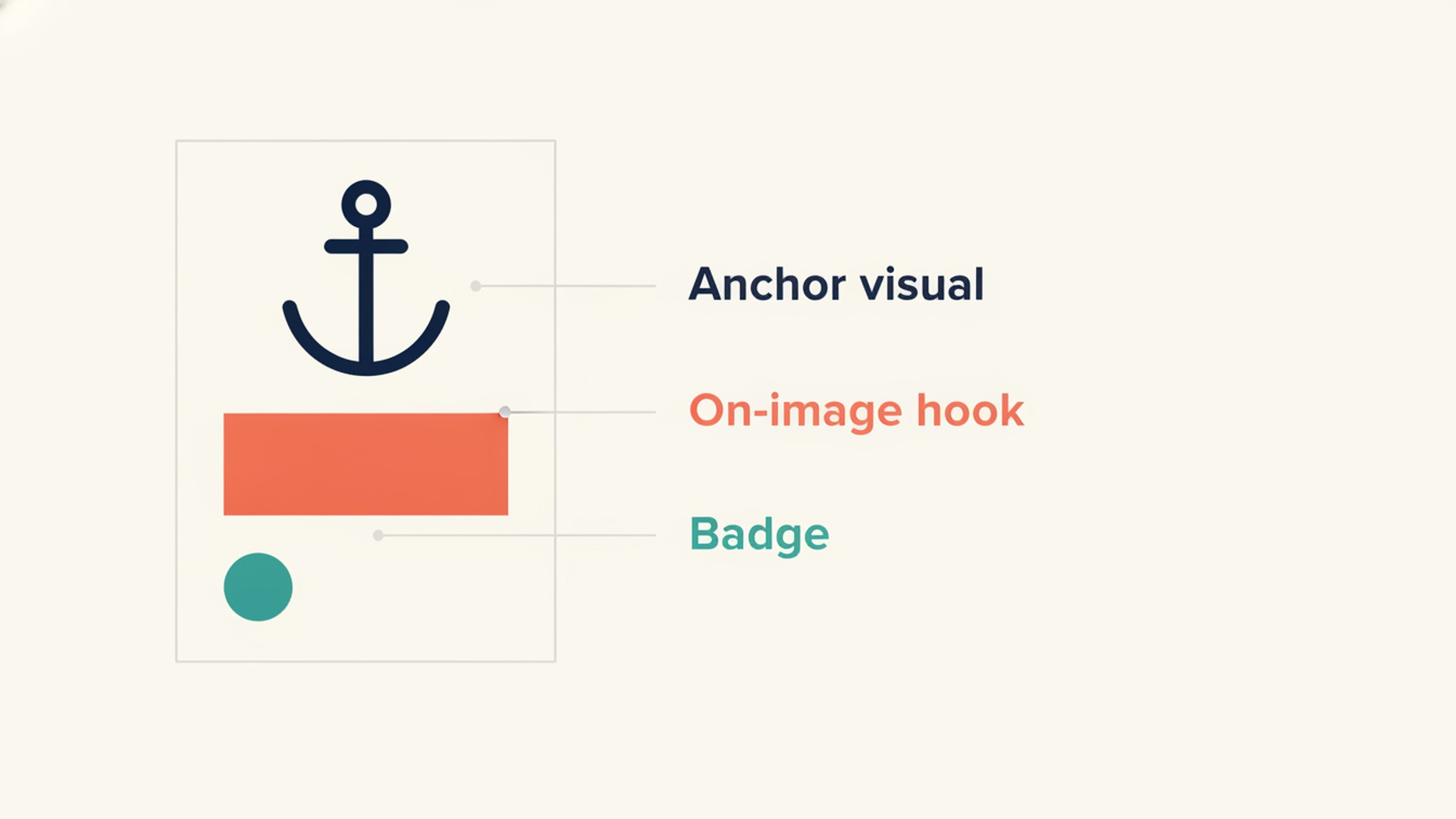
The Creative Designer role template turns your brief and brand details into layout specifications and image-generation prompts. It plans visual assets for channels like Meta, LinkedIn, TikTok, YouTube, and your website heroes. Instead of relying on direct generation that distorts text, this role plans a three-focus hierarchy for your layouts. It defines the anchor visual, on-image hook, and badge. It delivers exact layer orders, HEX colors, and safe zones from verified platform guidance, and it checks the hook with a smartphone squint test.
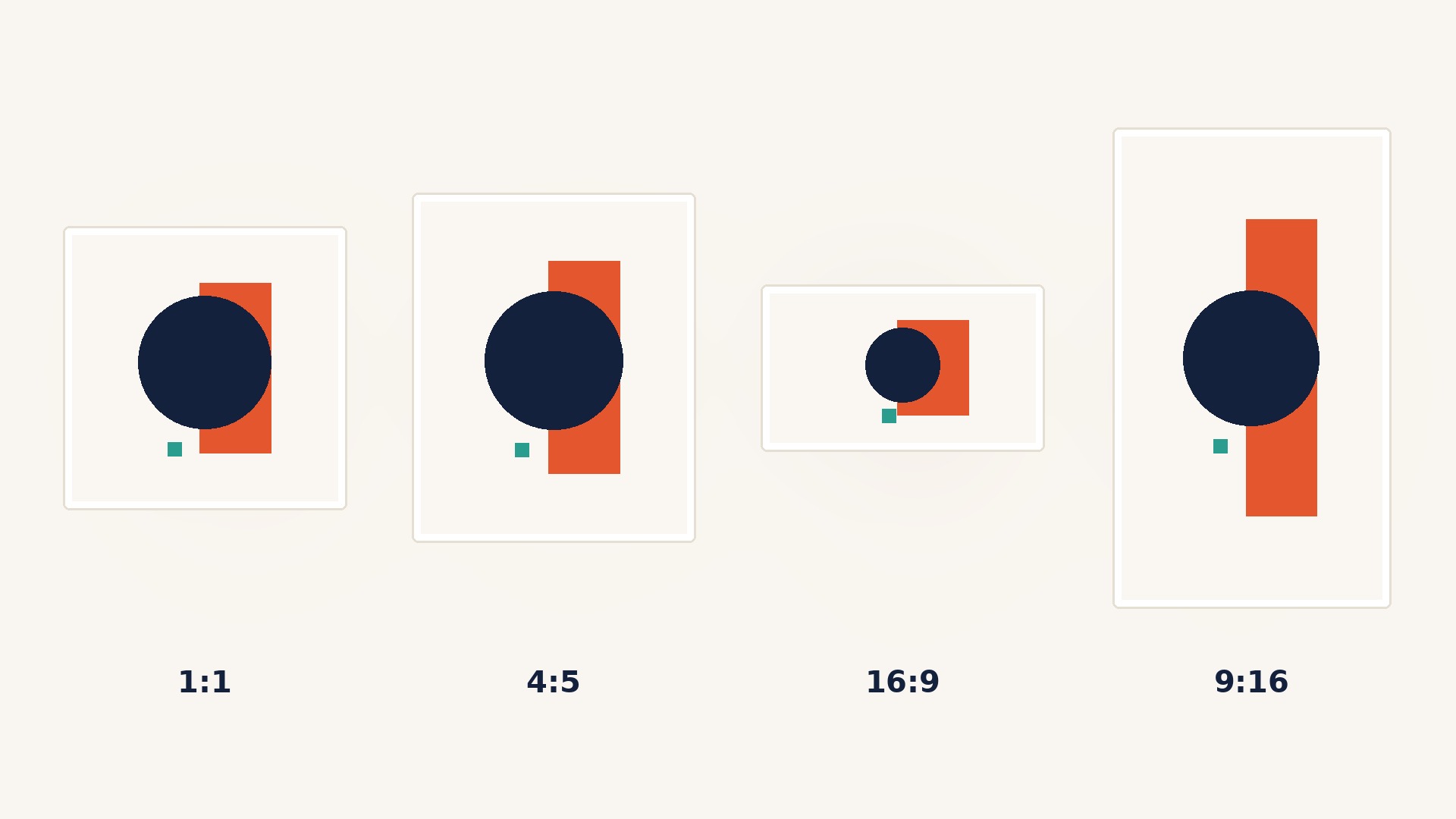
This role is for founders and marketers who need clear visual direction for multi-channel campaigns. It is built for teams running organic and optional paid placements who need a master layout adapted into resizes like one to one, four to five, sixteen to nine, and nine to sixteen.
It fits businesses that have a brand kit and need structured prompts to generate clean anchor images. If you prefer to overlay text in your own editor rather than relying on generators that often distort burned-in text, this specialist fits your workflow.
After checkout you receive a template link. Open the template link, select Add to Grok Bot, review the template, and confirm Add Bot to create your own copy.
You start by briefing the role on your business. You provide your target platform, an on-image hook of about five to seven words, and your brand kit containing logos, hex colors, fonts, and photo styles. The role asks up to five intake questions to clarify your delivery mode, such as whether you need layout specs for an editor, AI prompts, or both.
The role uses a two-step image method. It prompts for a clean scene with planned negative space first, then provides layout specs for you to overlay text in an editor. This overlay method remains the reliable default because image generators often distort burned-in text.
If you lack a necessary design tool or asset library, the role tells you what is needed to complete the job. You review the specifications and prompts, applying them to your own brand workflow.
Get StartedThe template includes the role instructions, skills, and routines. It does not include anyone else's computer, logins, chat history, or custom code. After you add your copy, you can edit the instructions to fit your business.
You get layout specification cards with two to three concept variants for an initial split test. Each card includes exact layer orders: background, anchor visual, hook text, badge, and your logo or call to action.
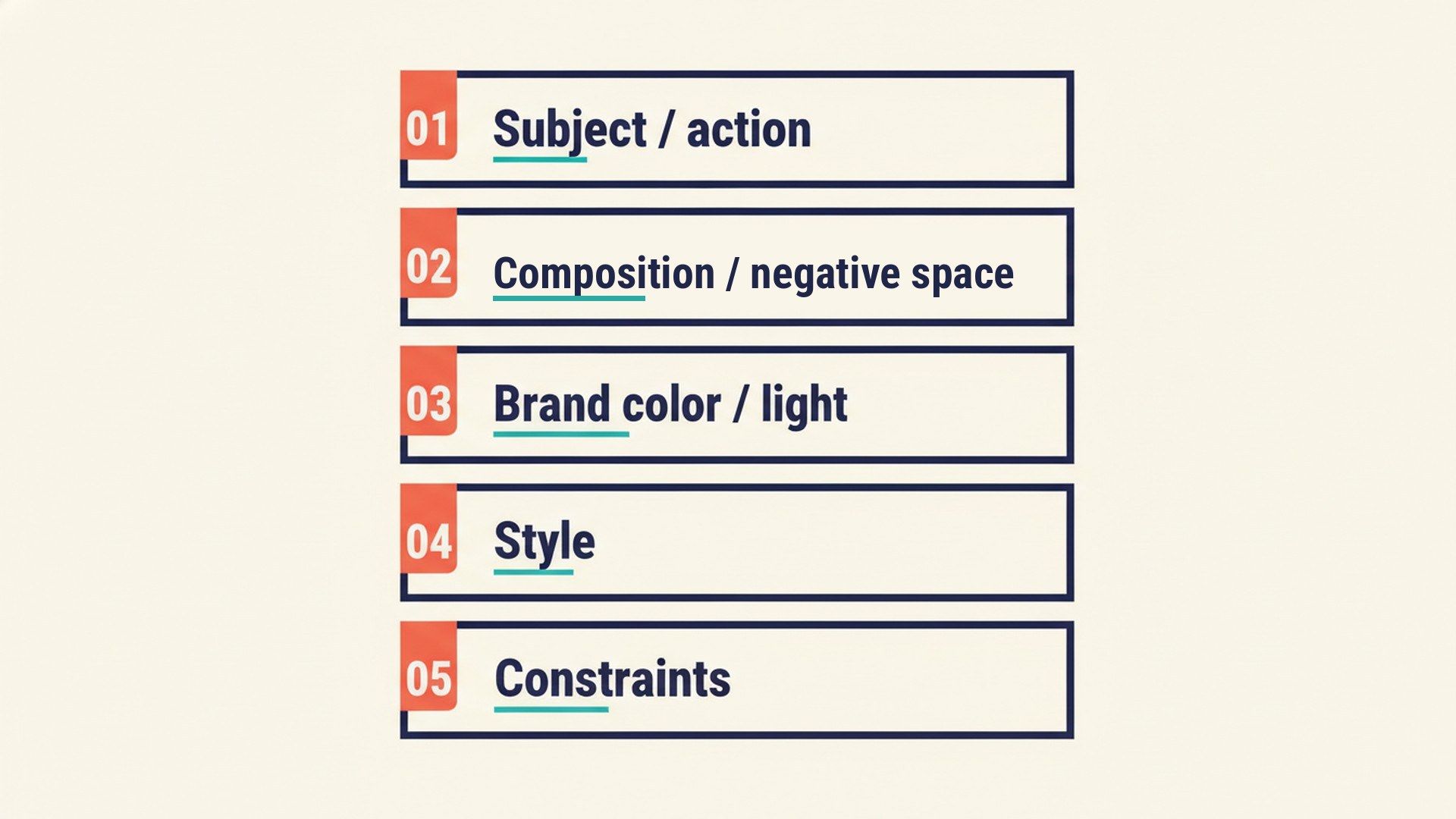
You receive ready five-block image-generation prompts. These prompts explicitly define the subject, composition with negative space, brand colors, style, and constraints.
You get verified safe zones and required aspect ratios for campaign resizes. The role checks for contrast, truthfulness, and readability, and it keeps essential text outside likely interface chrome and documented safe zones before you open your design tool.
It does not launch ads or publish posts automatically. It never publishes without your explicit go-ahead.
It does not invent official pixel sizes. If platform guidance is unverified, especially for TikTok Ads, it tells you to check the official page instead of guessing exact pixels. It does not invent fake Grok Bot interfaces, fake product interfaces, or click-through rate percentage benchmarks.
It does not put API keys, passwords, or design-tool logins in the chat. It does not replace Creative Ideator concepts, Content Marketer planning, Editor and Fact-Checker copy checks, Website Marketer and CRO Specialist page-flow work, or Landing Page Builder landing structure and copy.
ExtraHeads is an independent storefront. It is not affiliated with, endorsed by, or associated with xAI or X.
These roles run inside Grok Bot, and not every paid plan includes Grok Bot. You need the appropriate access to run the template. ExtraHeads does not sell that access.
Plans content and how it gets reused across your main channels.
View RoleDevelops ideas for campaigns and special projects.
View RoleEdits copy for clarity and checks claims before publication.
View RoleReviews site pages and suggests changes that help visitors take the next step.
View RoleIt specifies layouts and visual formats for ads and social posts. It writes layout specs and five-block image-generation prompts for channels like Meta, LinkedIn, Pinterest, and your website.
No. ExtraHeads is an independent storefront. This template is designed for your brand and your products, not as our internal website designer.
No. It plans the visual formats and layout specifications. It never publishes, launches campaigns, or posts without your go-ahead.
You open the template link, select Add to Grok Bot, review the template, and confirm Add Bot to create your own copy.
These roles run inside Grok Bot, and not every paid plan includes Grok Bot. You need the appropriate access to run the template. ExtraHeads does not sell that access.
No. ExtraHeads is an independent storefront. We mention Grok Bot only to describe where this template runs.
Yes. After you add a copy to your account, you can edit the instructions and routines to fit your exact business needs.
ExtraHeads does not receive your chats at checkout or when delivering a template. After you add a role, you work in your own copy. For how Grok Bot itself handles account data, see the official Grok Bot documentation.
Specifies layouts and visual formats for ads and social posts.
Get StartedOpen the template link, select Add to Grok Bot, review the template, and confirm Add Bot to create your own copy.